How to Show KGs as grams in WooCommerce
The default metric value in WooCommerce is KGs.
My client has been running his site for years in KGs, and many of his products have the weight entered as KGs.
Now he wants to show the value in grams.
WooCommerce has an option to show the weights as grams:
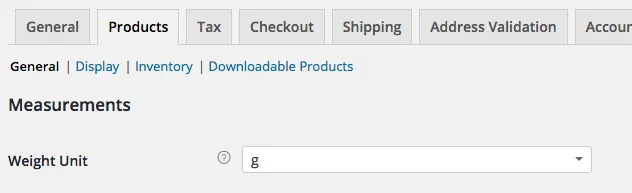
Whilst this changes the label on the website, WooCommerce was still showing the actual weight value in KGs.
I could run a script to change the weights of the products from KGs to grams, but my client was using a CSV export, and I didn’t want to disrupt this.
The following code will display the KG weights as grams on the WooCommerce templates
// Convert the product weight
function ag_woocommerce_product_get_weight( $weight ) {

// Only convert if we have a weight
if ($weight) {

// The weight is in KGS, and we want grams, to multiple by 1000
$weight = $weight * 1000;
}

return $weight;
};
// add the filter
add_filter( 'woocommerce_product_get_weight', 'ag_woocommerce_product_get_weight', 10, 1 );